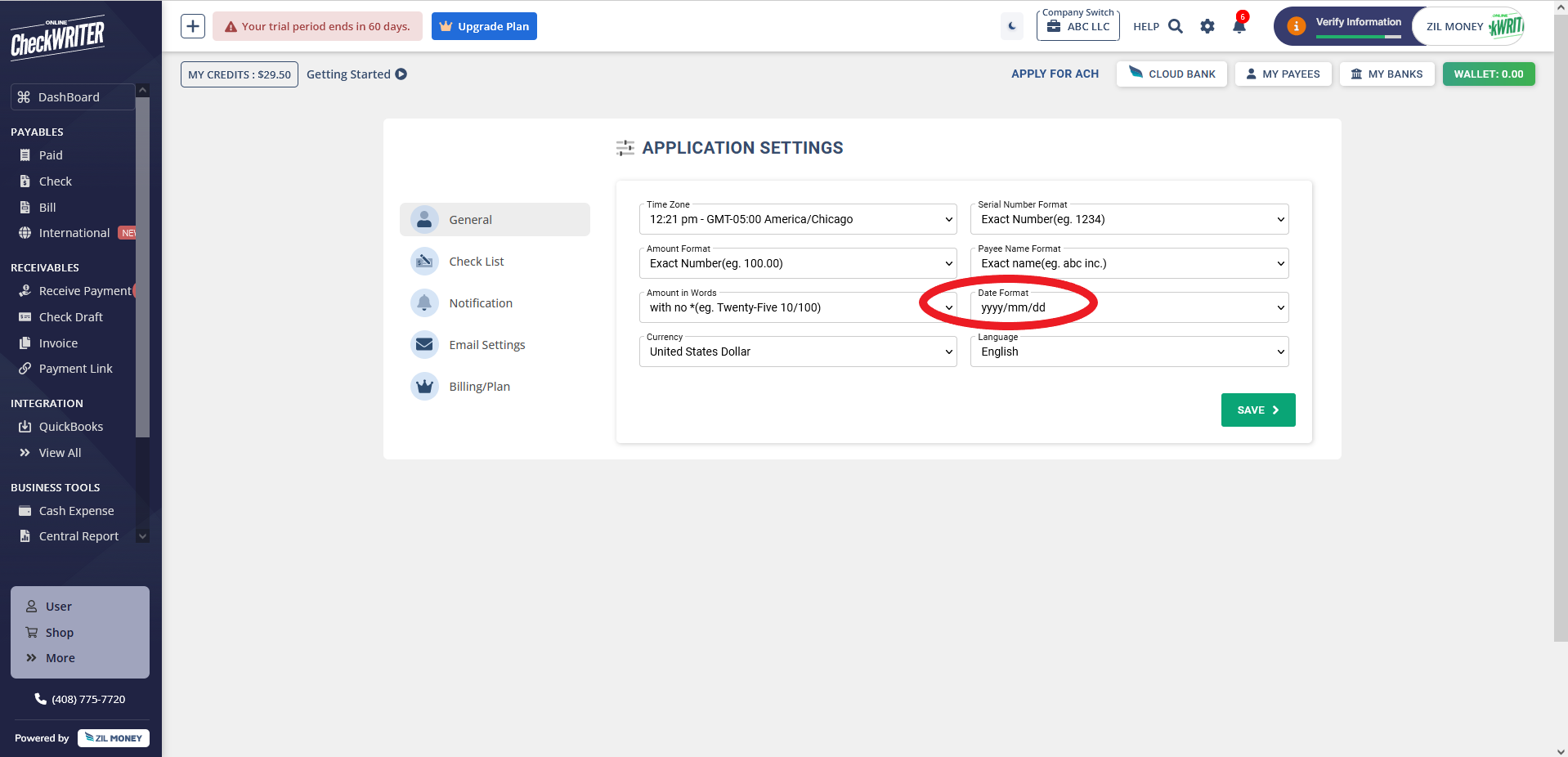
How do I Change Date format?

How do I Change Date format?

Step 1: Open 'Settings'.


Step 2: Change the 'Date Format' from the General Settings

    • Related Articles

    • How to print check without date ?

      Step 1 Choose New Check Step 2 Find an option to choose to print check without date Step 3 Save and Print your Blank check
    • What's the difference between check and white paper format?

      Check paper is printed on pre-formatted check paper, while white paper is printed on regular letter-size paper. White paper checks can be deposited electronically via mobile app or ATM and are accepted by most banks.
    • How to export the Positive Pay file?

      Step 1: Log in to Online Check Writer and go to Bank Accounts. Step 2: Click Positive Pay in the top right corner of the page. Step 3: Click on the REQUEST NOW button. Step 4: The customer support team will verify and enable the feature. Step 5: ...
    • What are the cut-off times for ACH, wire transfers, and check mailing?

      Check Mailing First Class USPS - 11:50 AM CST Next Day Fedex - 3PM CST ACH ACH payments (Origination Files Submission) via SVB Online Banking or SVB Transact Gateway - 7:00 PM PST ACH Prefunding - 7:00 PM PST Same Day ACH - 12:00 PM PST Wire U.S. ...
    • How can a business prepare for payroll using a credit card?

      Upload a payroll summary (PDF or screenshot) from your payroll software showing total payout amounts. This must be done each time, even if the amounts don’t change.